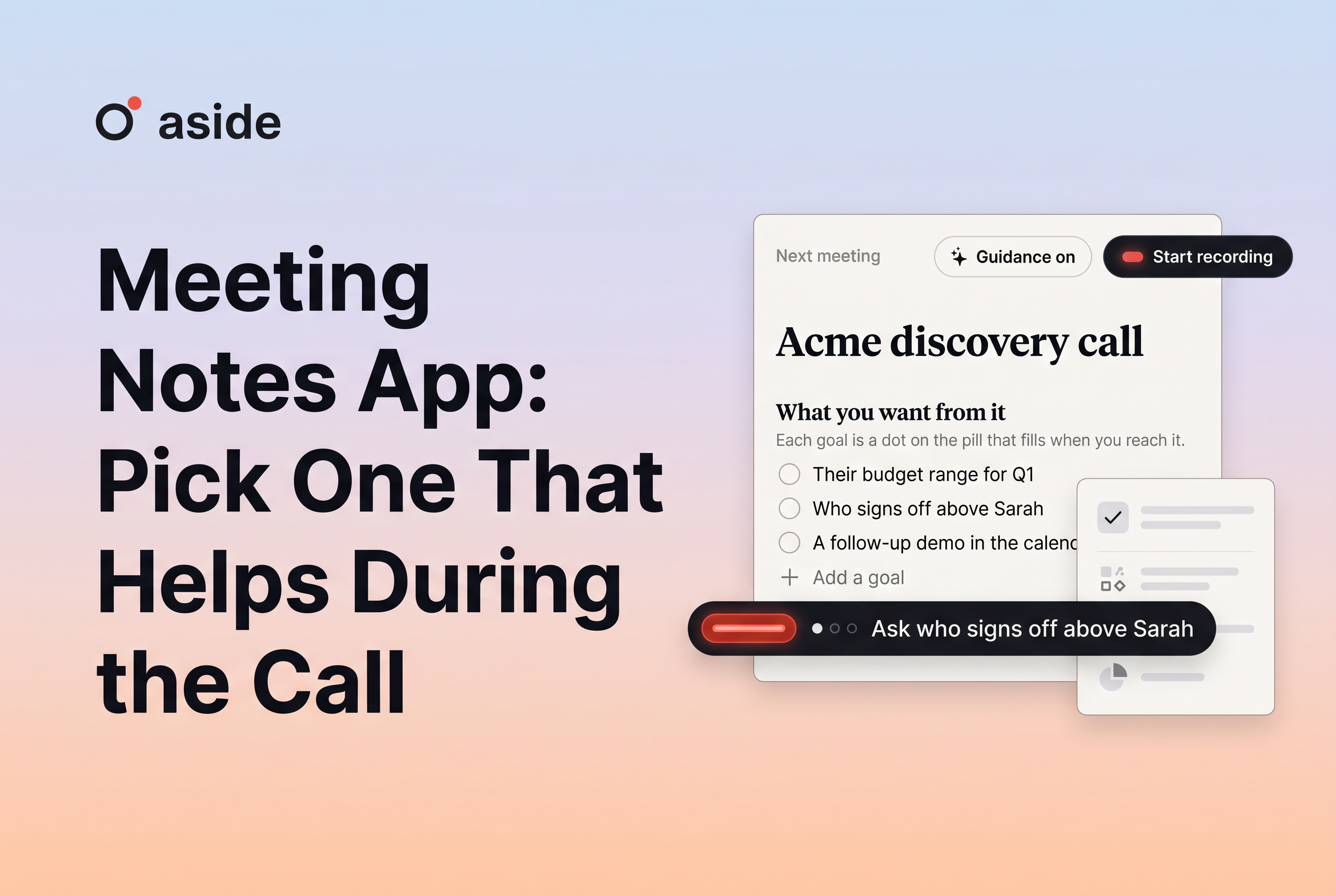
The best meeting notes app in 2026 is one that helps while the call is still happening, keeps your audio on your own computer, and doesn't send a bot into the room. Most roundups rank apps by how tidy the summary looks afterwards. That's the wrong test if you're a founder, consultant, recruiter or rep on a call where the outcome depends on what you say in the next ten seconds.
This post ranks meeting notes apps on five criteria that matter to someone paying for it themselves: live help, bot or no bot, where the audio goes, what you pay as one person, and whether the notes end up useful. It covers Aside, Granola, Otter.ai, Fireflies.ai, Fellow and the built-ins in Zoom, Google Meet and Teams.
What a meeting notes app should do in 2026 (and why 'after the call' isn't enough)
A meeting notes app should capture the call, write up what mattered, and, on calls that matter, help you while you're still talking. A clean summary is table stakes. Nearly every tool on the market writes one.
What separates the tools today is something else. Does a bot join and announce itself to your prospect? Does your audio get uploaded to someone else's servers? Can you get anything useful before you hang up? A summary that arrives after a bad call documents the miss. It doesn't prevent it.
That's why "after the call" isn't enough. Say you're on a discovery call and the prospect asks about pricing, security or who else is involved. A perfect write-up an hour later doesn't help. Live guidance changes the outcome. Notes save you the admin. You want both, in that order.
Five criteria to rank meeting notes apps before you compare names
Rank on five criteria before you look at a single logo, because the names blur together fast.
Help during the call. Does the app do anything while the meeting is live, such as showing your next move or your prepared answers, or does it only transcribe?
Bot or no bot. A bot in the attendee list changes how a prospect or client behaves. Check whether the tool captures audio from your device instead.
Where the audio goes. Ask whether audio is transcribed on your machine or uploaded, and whether your data is used to train models.
Individual price. Many tools are priced per seat for teams. Check what one person pays and what the free tier actually includes.
Notes you will reuse. The output should be a short summary, the goals reached and the next steps, not a wall of transcript.
If you want a deeper checklist on the summarising side, see AI Meeting Summarizer: What to Check Before You Pick One.
Meeting notes apps compared: Aside, Granola, Otter.ai, Fireflies.ai, Fellow, and Zoom, Meet and Teams built-ins
Here is how the main options stack up on the five criteria. Competitor details come from published roundups. Where a detail isn't published there, the table says so.
| App | Live guidance | Bot in the call | Audio handling | Individual pricing |
|---|---|---|---|---|
| Aside | Yes, on-screen next move and prepared answers (Pro) | No | English and 24 European languages transcribed on your computer | Free tier; Pro $48/month, 14 days free, no card |
| Granola | Not published | No, captures device audio | Not published | Business listed at $14/user/month, free plan with 30-day history |
| Otter.ai | Not published | Bot or mobile app | Not published | Free plan (300 min/month); Pro $8.33/user/month billed yearly or $16.99 monthly |
| Fireflies.ai | Not published | Bot or Chrome extension | Not published | Free plan; Pro from about $10/seat/month on yearly billing |
| Fellow | Not published (AI meeting briefs and summaries) | Not published | Not published | 5 lifetime free AI notes; Team $7/user/month |
| Zoom, Meet, Teams built-ins | Not published | No separate bot; runs inside the platform | Not published | Tied to your platform plan |
The pattern is clear. Most of the field competes on transcription quality and summaries. Granola's no-bot approach is its main draw for solo professionals, per the Atlas Workspace roundup. Otter.ai and Fireflies.ai lean on integrations and multi-platform coverage, and Fellow is built around shared agendas for teams. The built-ins are free-ish and convenient but only work inside their own platform, so they don't help if your prospect is on Zoom and your client is on Meet.
The gap in the table is the first column. Only one tool here is built to tell you what to say next while the call is happening.
Aside: live guidance first, notes second, no bot, audio stays on your device
Aside is a Mac and Windows app that records calls on your computer and writes up your notes, goals reached and next steps, with optional live guidance on what to say next. It runs on Apple silicon Macs (macOS 14.2 or later) and Windows 10 (version 2004 or later) or Windows 11 on x64.
It provides live guidance while you talk. No bot joins the call, so your prospect sees nothing unusual. That matters on a discovery call when someone asks "where are you on security?" and you'd rather not stall. For more on that mid-call moment, see AI That Tells You What to Say on Sales Calls, Live.
On privacy, English and 24 European languages are transcribed on your computer. Text syncs to your account, and nothing is used to train AI models. If you're a consultant, recruiter or anyone handling client confidentiality, that's the difference between a tool you can use and one you can't. A closer look at the mechanics is in AI Meeting Recorder With No Bot: How Bot-Free Recording Works.
It supports capture across platforms such as Zoom, Google Meet, Teams and other computer calls, plus in-person meetings and phone calls through its mobile app. It transcribes English plus 24 more European languages, detected as you speak.
Pricing for one person: the free plan is free forever, with unlimited recording, notes, transcripts and speaker names. Pro is $48/month, or $456/year ($38/month), and adds plans, live guidance, summaries and the follow-up email. New accounts get 14 days of Pro with no card. A Team plan is coming soon at $20 per person/month, from 3 people.
How to keep meeting notes that people actually use (summary, goals reached, next steps)
Notes get used when they fit on one screen and tell you what to do next. A transcript is a record. A good note helps you decide.
Organise every call's notes into three parts:
Summary. Three or four lines on what the call was about and where it landed.
Goals reached. Which of your goals for the call you hit and which you missed. Most apps skip this part, and it's the one that tells you whether the call worked.
Next steps. Who does what, by when, written as actions.
File them by person or deal, not by date. When you prepare for the next call you'll search a name, not a calendar. Keep the full transcript attached but out of the way, and send the follow-up email while the call is fresh. Aside produces this structure after each call, and the follow-up email is part of Pro. If you run discovery calls, Discovery Call Next Steps: How to Book the Follow-Up shows how to turn the third section into a booked meeting.
Recording, transcribing and consent: ChatGPT, Teams, free tools, and recording without people knowing
Recording and transcribing a call is easy now. Doing it properly means telling people. This is general information, not legal advice, and rules differ by country and state.
Can ChatGPT transcribe meeting minutes? You can upload a recording to a general AI assistant and ask for minutes, but that means you already have a recording and you're sending the audio to a third party. A dedicated app captures and writes up in one step.
Does Teams have a notes app? Teams has built-in recording and transcription, tied to your plan and your organiser's settings. It only covers Teams meetings.
Is there a free app to record and transcribe meetings? Yes. Several tools have free tiers with limits on minutes or history. Aside's free plan is free forever, with unlimited recording, notes and transcripts. Our guide to free AI notetakers lists what to check before relying on one.
Can I transcribe a Teams meeting without people knowing? Don't. Many jurisdictions require consent from some or all parties, and surprising a client is bad business even where it's legal. Say at the start of the call that you're recording and taking notes. A bot-free app doesn't change that duty. It just means no extra attendee appears in the list. For how to record any call on your own machine, see Meeting Transcription App: Keep Audio on Your Computer.
How to pick in 15 minutes: a short trial checklist
You can choose a meeting notes app in one afternoon by running a single real call through your top two.
Minutes 0 to 3: Install and check requirements. Confirm it runs on your Mac (Apple silicon) or Windows PC and that it captures the call app you actually use.
Minutes 3 to 6: Check the privacy line. Does a bot join? Is audio uploaded or transcribed locally? Is data used for training?
Minutes 6 to 12: Run a real or mock call. Note whether the app helps while you're talking or only transcribes.
Minutes 12 to 15: Read the output. Is there a short summary, goals reached and next steps you'd send as-is?
Price it last. If the free tier covers recording and transcripts, you can test properly before paying anything. With Aside you also get 14 days of Pro with no card, so live guidance is part of the trial.
Try the app that helps before you hang up
A meeting notes app that only writes things down after the call is solving the smaller problem. The bigger one is knowing what to say while the prospect is still on the line. Install Aside from asidehq.app, run it on your next real call with the 14-day Pro trial (no card), and judge it on one thing: did you know your next move before you needed it?
Questions
What is the best meeting notes app in 2026?
It depends on what you need during the call. For live guidance on what to say next, no bot joining, and English plus 24 European languages transcribed on your computer, Aside is built for that, with a free tier and Pro at $48/month. Other tools focus on after-call summaries, integrations or team agendas.
Is there a free meeting notes app?
Yes. Aside's free tier includes unlimited recording, notes, transcripts and speaker names. Other tools offer free plans with caps on minutes, history or AI notes. Check the limits first, because free tiers often restrict the summaries and live features you actually want.
Do meeting notes apps need a bot to join the call?
Not all of them. Some tools send a bot that appears in the attendee list, while others capture audio from your computer instead. Aside runs on your Mac or Windows PC with no bot joining, and English and 24 European languages are transcribed on your computer.
What should meeting notes include?
Keep three parts: a short summary, the goals reached, and clear next steps with owners and dates. Attach the transcript but don't lead with it. Aside writes up notes, goals reached and next steps after each call, so you can send the follow-up straight away.